7 Latest Illustrations How To - Free illustrations, backgrounds and illustrator templates in eps and ai formats. How to use illustration in a sentence. Text on cartoon illustrations . Transform photos into watercolors with a free. Illustrations how to 7 Successful Illustrations How To . Illustrations images photos vector graphics illustrations videos. On pixiv how to draw page, you can easily find drawing tutorials, step by step drawings, textures and other materials. There are many types of. Illustrations how to 500+ free illustrations & animations. How to make flat illustrations original and add personal style to them today, many designers try their creativity in flat illustration. Suggestive illustrations on the gospel of john: Illustrations how to The meaning of illustration is something that serves to illustrate. Adobe.com has been visited by 100k+ users in the past month Attract more visitors and increase your conversion rate with custom made illustrati...
9 Insane How To Take Out Iphone 6 Battery - Check out the video to fi. Speciality level out of ten:
 How to replace the iPhone 6s battery iMore . Changing these settings can help.
How to take out iphone 6 battery
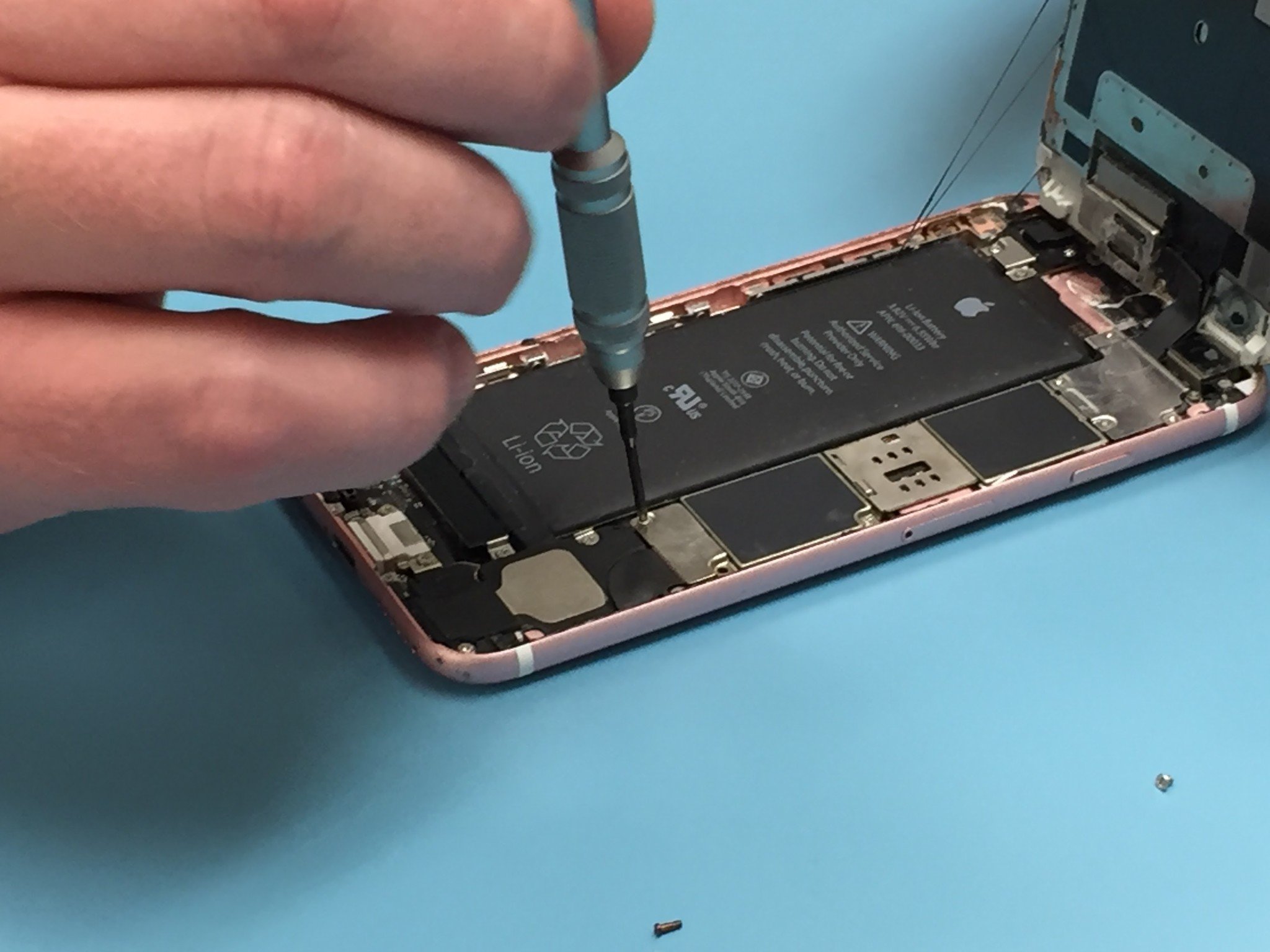
7 Fundamentals How To Take Out Iphone 6 Battery. There are two strips of white adhesive underneath the battery. Since, i purchased my iphone 6+ i have not had a problem yet for my iphone 6+, but the iphone 6 on the The first task you have to carry out is to remove the two 3.6mm pentalobe screws. How to take out iphone 6 battery
The clasps holding the screen onto the b. Today, we’ll show you how to replace the battery on your i. Now use the isclack and in the case that the plastic depth gauge is attached, make sure you remove it. How to take out iphone 6 battery
Ios 15 settings you should change to get more out of your iphone these tips and tricks can help your iphone 13, iphone 12, iphone 11 or older model run its best. If you feel comfortable supporting the display carefully while peeling the battery out of the iphone, you can skip the display removal and go directly to the battery removal steps. The best way to take out the battery is to roll and pull the strips out using tweezers. How to take out iphone 6 battery
Removing the battery from the device is extremely tricky and if not done in the correct manor, can lead to the device setting fire. If your battery is swollen, take appropriate precautions. Thankfully, there are a number of battery cases out there (see my roundup of iphone 6. How to take out iphone 6 battery
When you replace your iphone battery at the genius bar then ask if the genius bar take out the potential moisture. The iphone is not a user serviceable device. Learn more about charge cycles. How to take out iphone 6 battery
If it is out of warranty, apple offers battery service for a charge. This is intended to prevent damage to the display cables. This guide instructs you to remove the front panel assembly; How to take out iphone 6 battery
Warm up the bottom section of the case with a hairdryer or heat gun for about a minute. We’ll try to fix your iphone during your visit. Make an appointment at an apple store or one of our apple authorized service locations. How to take out iphone 6 battery
In more complex cases, we might need to send it to an apple repair center. Disconnect the flex cable and take down the original battery; Slide your tweezer tip under the black adhesive at the bottom of the battery as shown. How to take out iphone 6 battery
1.1 power off the phone, snap and remove the two pentalobe screws on the bottom. If you need a battery replacement, make an appointment at the genius bar of the nearest apple store or authorized apple service provider to have the service done. A normal battery is designed to retain up to 80% of its original capacity at 500 complete charge cycles when operating under normal conditions. How to take out iphone 6 battery
The first task you have to carry out is to remove the two 3.6mm pentalobe screws. Open the phone, undo the screw connected to the battery connector, and gently remove the battery connector. Check out how to remove the battery from the iphone 7 and above, as well as the slightly older iphone 6 series smartphones to get an idea of how things may differ from one model to another. How to take out iphone 6 battery
This video demonstrates how to properly remove the battery from your iphone 6 without causing damage to the phone or rupturing the battery. 29 steps to remove battery from iphone 6 and 6 plus. Iphone 4 has just one screw, but iphone 4 s has two screws on the connector. How to take out iphone 6 battery
Apple’s iphone x is new now—but sometime in the future that battery is going to start to wear out. Remove two screws that are located near the dock connector. Push your tweezer tip about halfway across the bottom of the battery. How to take out iphone 6 battery
Then, push the rear panel of phone towards the top, and it will move out. Opening the device and attempting to replace parts will void your. How to take out iphone 6 battery
 How To Prevent Battery Adhesive Being Torn When Replacing . Opening the device and attempting to replace parts will void your.
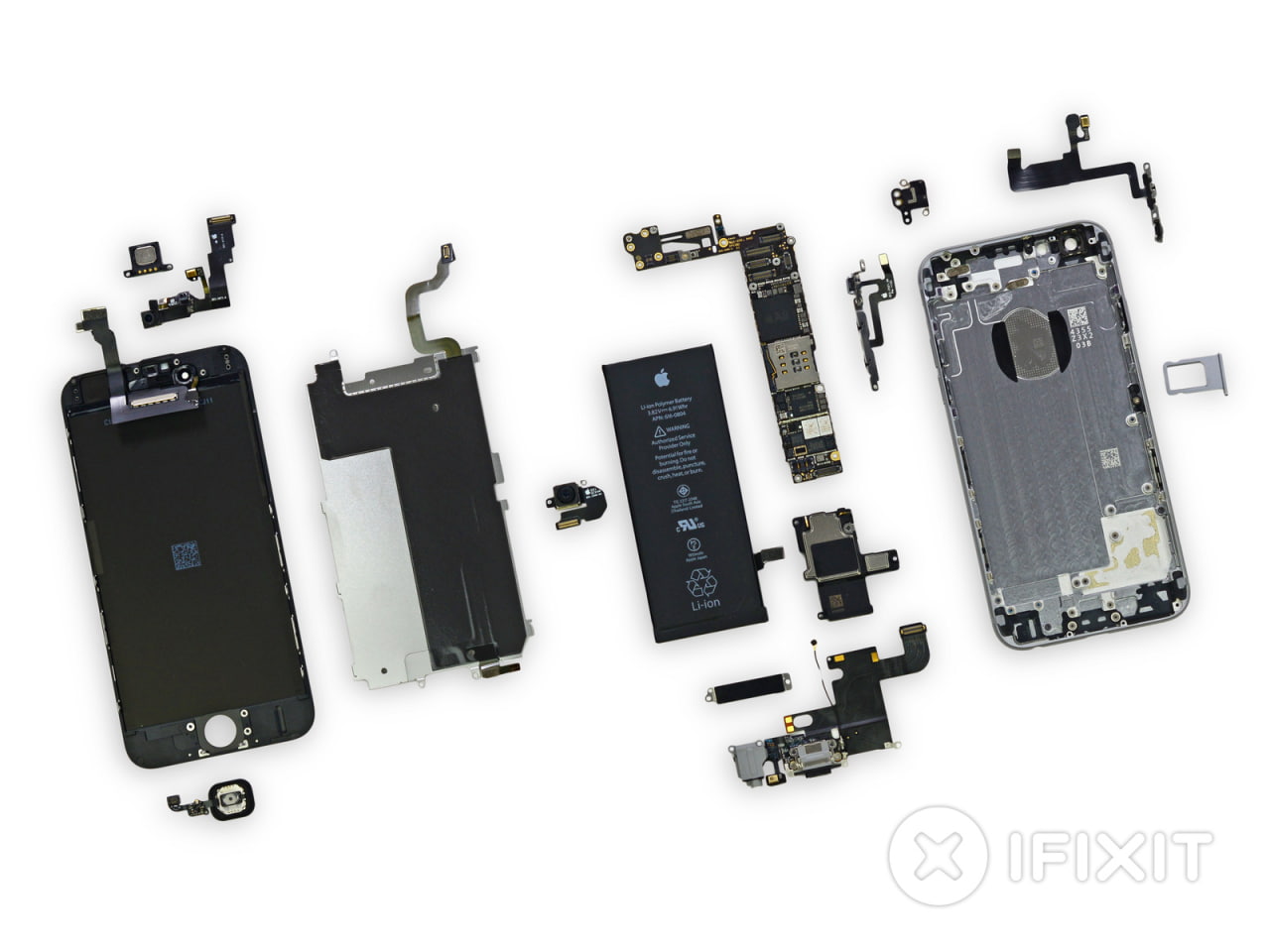 iPhone 6 Teardown Reveals 1810 mAh Battery [Photos . Then, push the rear panel of phone towards the top, and it will move out.
 How to replace the iPhone 6s battery iMore . Push your tweezer tip about halfway across the bottom of the battery.
 How to replace the iPhone 6s battery iMore . Remove two screws that are located near the dock connector.
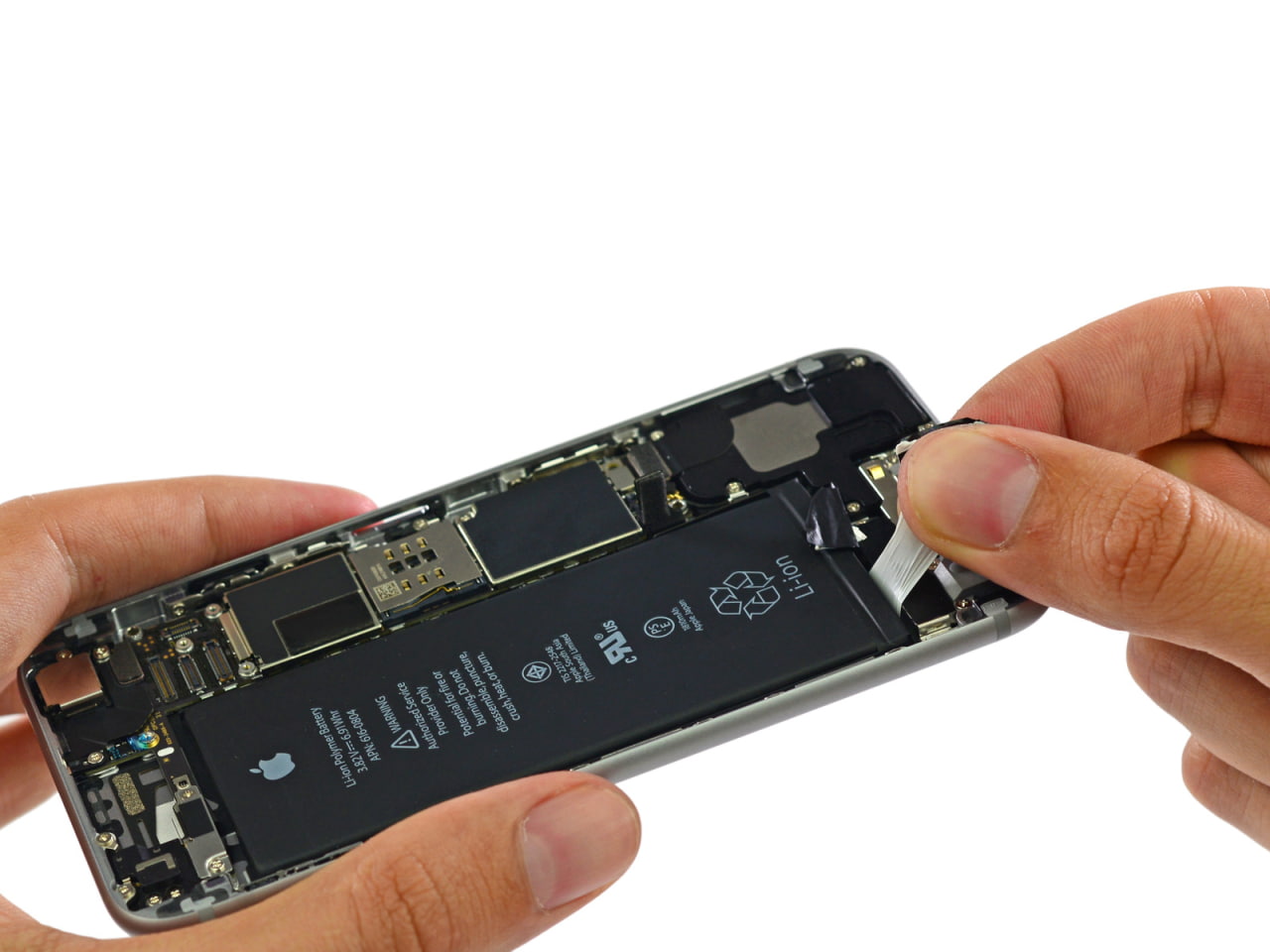 iPhone 6 Teardown Reveals 1810 mAh Battery [Photos . Apple’s iphone x is new now—but sometime in the future that battery is going to start to wear out.
 How to replace the iPhone 6s battery iMore . Iphone 4 has just one screw, but iphone 4 s has two screws on the connector.
 iPhone 6 battery replacement The Battery Reconditioning . 29 steps to remove battery from iphone 6 and 6 plus.
 iPhone 6 battery replacement The Battery Reconditioning . This video demonstrates how to properly remove the battery from your iphone 6 without causing damage to the phone or rupturing the battery.
 iPhone 6 battery replacement The Battery Reconditioning . Check out how to remove the battery from the iphone 7 and above, as well as the slightly older iphone 6 series smartphones to get an idea of how things may differ from one model to another.

Comments
Post a Comment