7 Latest Illustrations How To - Free illustrations, backgrounds and illustrator templates in eps and ai formats. How to use illustration in a sentence. Text on cartoon illustrations . Transform photos into watercolors with a free. Illustrations how to 7 Successful Illustrations How To . Illustrations images photos vector graphics illustrations videos. On pixiv how to draw page, you can easily find drawing tutorials, step by step drawings, textures and other materials. There are many types of. Illustrations how to 500+ free illustrations & animations. How to make flat illustrations original and add personal style to them today, many designers try their creativity in flat illustration. Suggestive illustrations on the gospel of john: Illustrations how to The meaning of illustration is something that serves to illustrate. Adobe.com has been visited by 100k+ users in the past month Attract more visitors and increase your conversion rate with custom made illustrati...
9 Exclusive How To Add New Email Account To Iphone - How to add a new email account on iphone 8 or iphone 8 plus. (depending on your ios version, you might need to tap passwords & accounts.) tap add account.
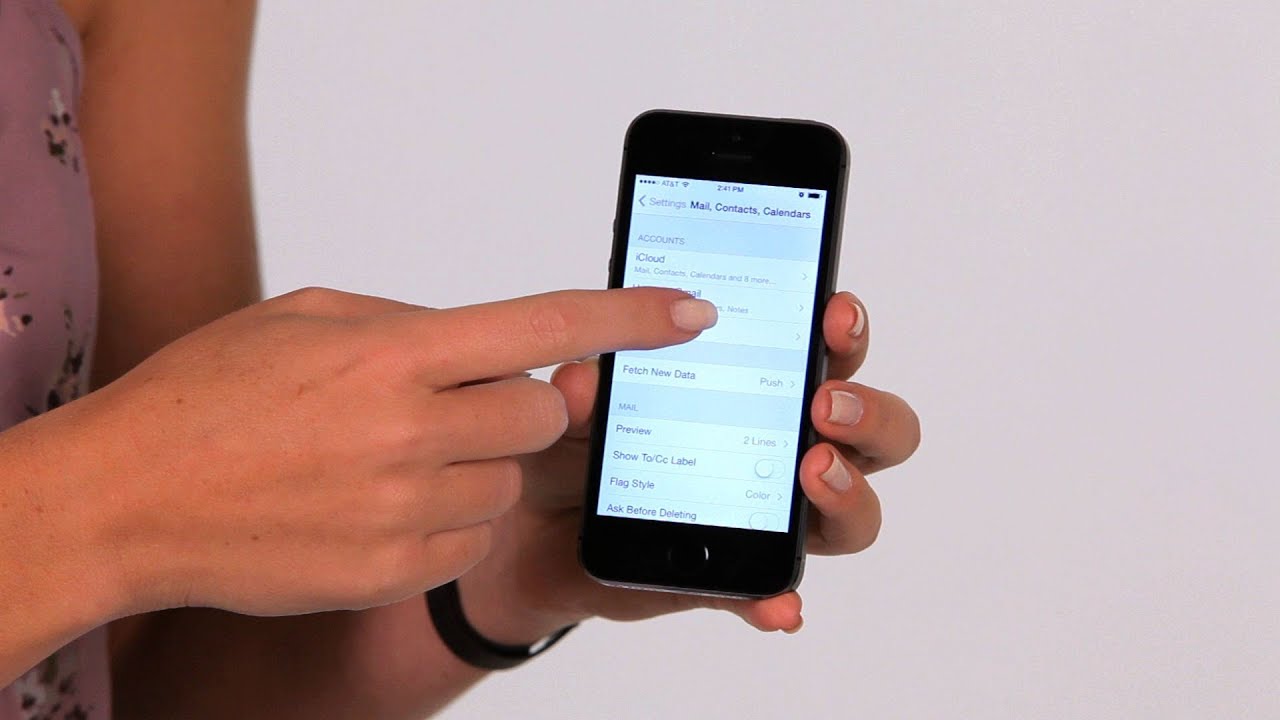 How to Add a Second Email Account iPhone Tips YouTube . Learn how you can add a new email account on iphone 12 / iphone 12 pro.follow us on twitter:
How to add new email account to iphone

10 Approved How To Add New Email Account To Iphone. Tap next and wait for mail to verify your account. Tap add account, then select your email provider. Go to settings > mail, then tap accounts. How to add new email account to iphone
You can add any email account to your iphone's default mail app, as long as your provider offers either imap or pop access to it; Select the other account type. If you see next appear, tap it and wait for mail to verify your account. How to add new email account to iphone
Tap add account, tap other, then tap add mail account. Enter your email address and password. Read on to learn how to add email accounts from gmail and outlook, and more on your iphone. How to add new email account to iphone
Mail will try to find the email settings and finish your account setup. Go to settings, and then find the accounts and passwords tab. Open your iphone or ipad's settings. How to add new email account to iphone
Add your workspace email account to mail on your ios device. If you recently got a new iphone or a new email address, connecting your email account to your phone is probably a top priority. In the top right, tap your profile picture. How to add new email account to iphone
Then you can send and receive business emails from your iphone or ipad. If you want to add your gmail address to mail follow these steps: The ipad and iphone's mail app allows users to add more than one email account from the same or different email providers. How to add new email account to iphone
If mail finds your email settings, tap done to complete your account setup. On your iphone or ipad, open the gmail app. Choose information from your email account, like contacts or calendars. How to add new email account to iphone
Mail will try to find. If you can't see your email provider, tap other to add your account manually. Go to settings > mail, then tap accounts. How to add new email account to iphone
Want to access your email on your iphone or ipad? Tap accounts and you would see all accounts you've added to your phone. If you use icloud, @ me.com, or @ mac.com accounts, you might need. How to add new email account to iphone
Enter your email address and password. Enter your name, email address, password and a description for your account. Here's how you can add a hotmail account to iphone's mail app. How to add new email account to iphone
Tap on “add account,” and a new screen will appear, listing a number of popular email providers. Enter your name, email address, password, and a description for your account. Choose the type of account you want to add. How to add new email account to iphone
Go to settings > passwords & accounts. Upgrade your lifestyledigital trends helps readers keep tabs on the. In some instances, it may ask for your username, phone number, or even your. How to add new email account to iphone
You can add any kind of email account to your iphone’s mail app via settings. Tap add account, tap other, then tap add mail account. Unlock your phone, on the interface, tap settings>mail. How to add new email account to iphone
Tap add account, then select your email provider. If you see save, tap save. Go to settings > mail, then tap accounts. How to add new email account to iphone
How to add an email account on the default mail app on the iphone 6s. Once you choose your email provider, enter your email address when prompted. Here’s how to add an account in mail.to learn more about this topic, visit the following article:add an ema. How to add new email account to iphone
 🎖 iPhone How to Add and Configure an Email Account on . Here’s how to add an account in mail.to learn more about this topic, visit the following article:add an ema.
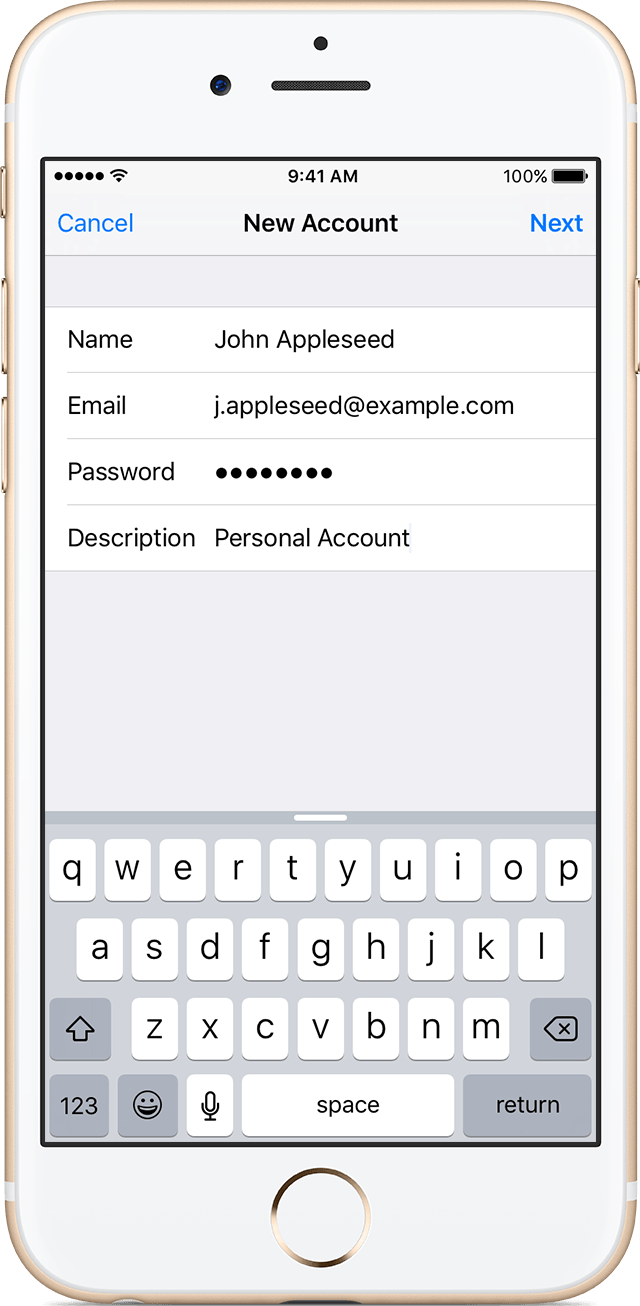 Set up an email account on your iPhone, iPad, or iPod . Once you choose your email provider, enter your email address when prompted.
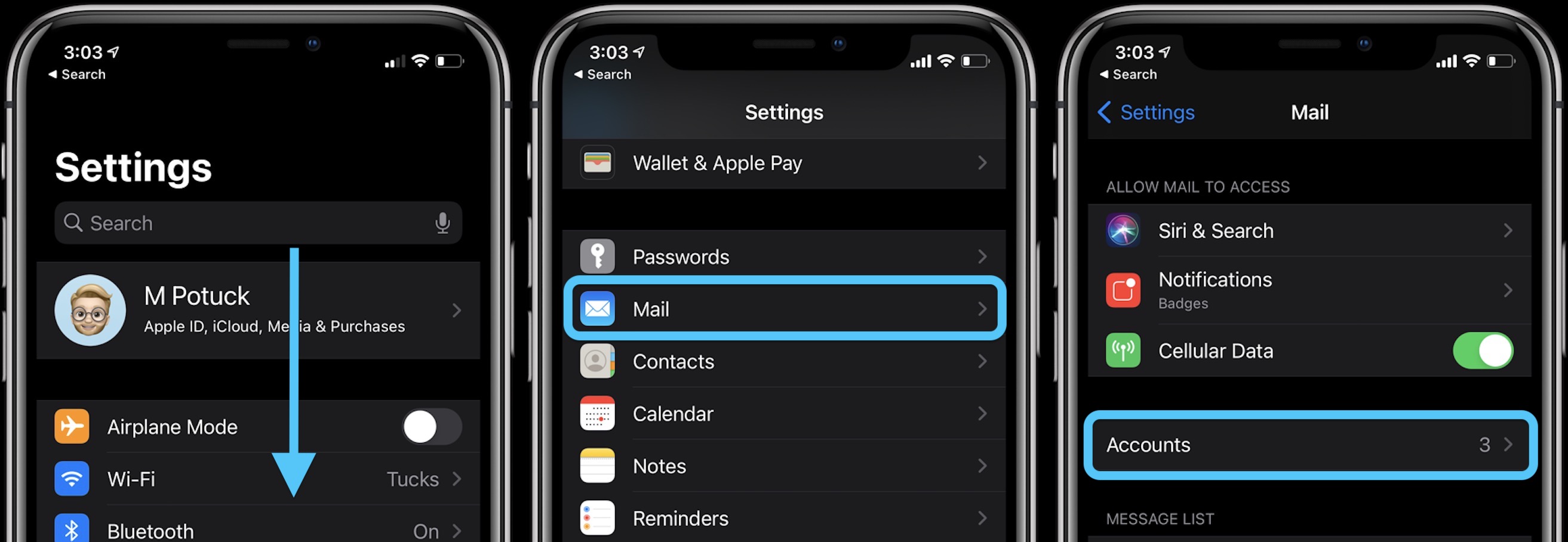 How to add/edit iPhone accounts in iOS 14 9to5Mac . How to add an email account on the default mail app on the iphone 6s.
 How to Add an Email Account to Your iPhone 7 Steps . Go to settings > mail, then tap accounts.
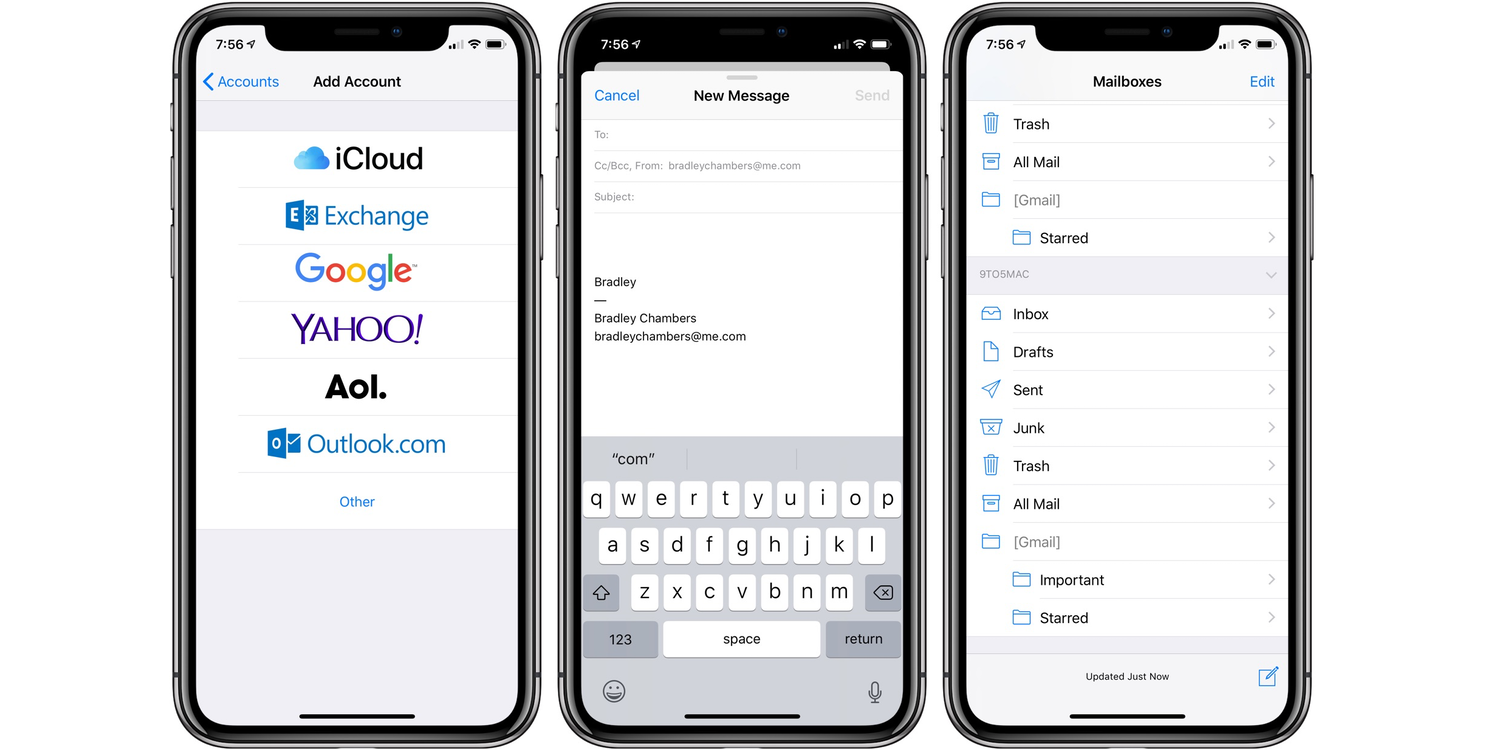 What's the best email app for iPhone? . If you see save, tap save.
 How to Add a New Email Account to the Mail App on iPhone . Tap add account, then select your email provider.

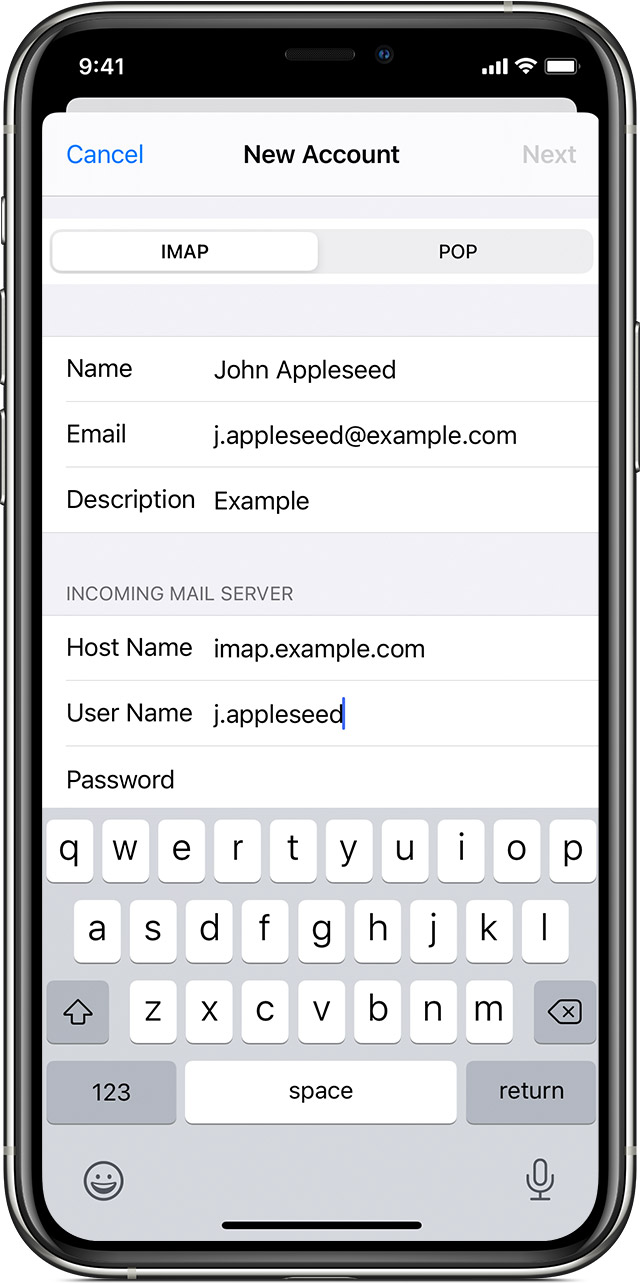 How To Create A New Gmail Account On Iphone 6 GUGUMAIL . Tap add account, tap other, then tap add mail account.
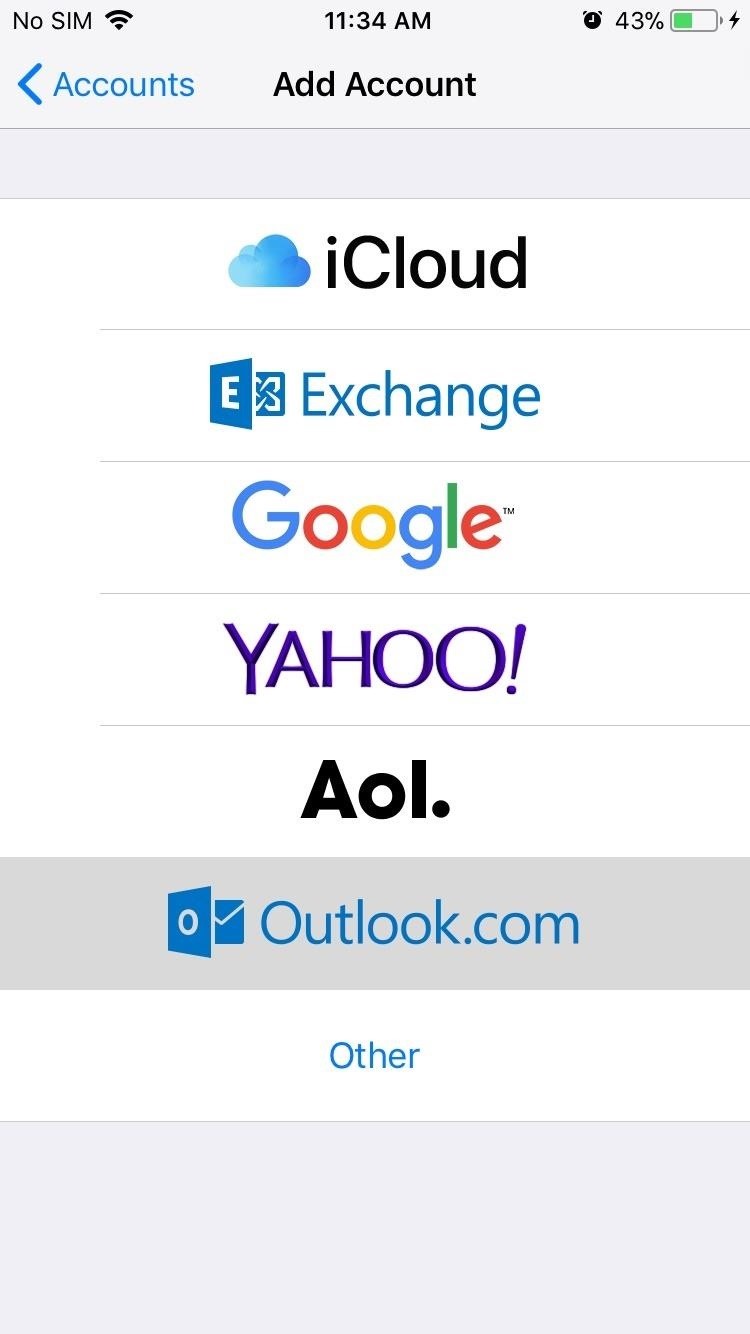 How to Add Email Accounts to Mail in iOS 11 on Your iPhone . You can add any kind of email account to your iphone’s mail app via settings.

Comments
Post a Comment